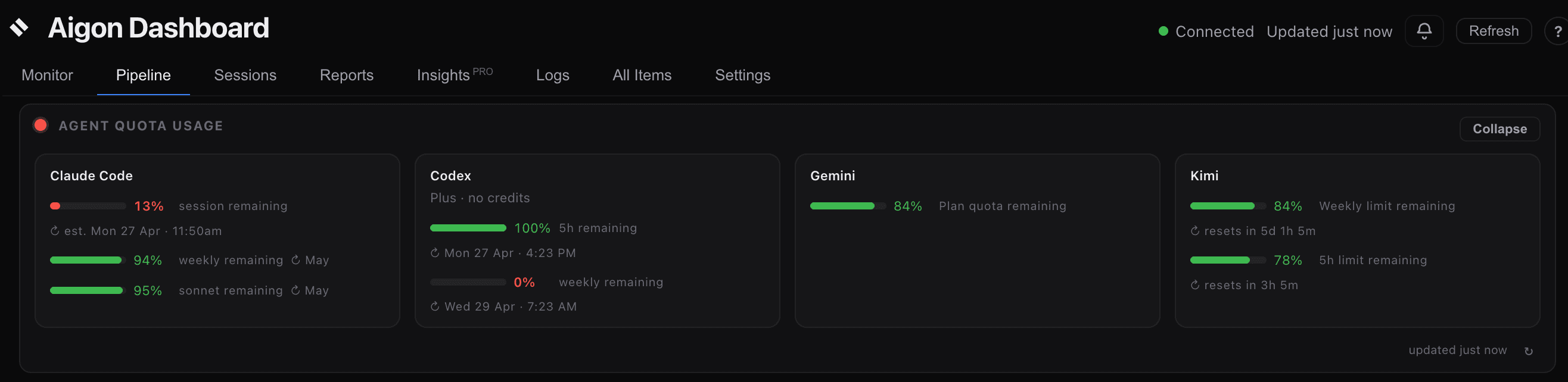
Aigon does more than show quota bars. It uses live budget information as part of the decision surface when you are choosing which agent should implement a feature.
Why this matters
When you are about to start work, the question is not just which agent do I like using? It is also:
- Which agent has enough headroom to finish the implementation cleanly?
- Which agent is already close to a limit and should be reserved for smaller work?
- Which selection makes sense for the task at hand instead of burning a scarce window?
Aigon keeps that context visible so you can route work intentionally instead of discovering the limit after the run is already underway.
Before you pick an agent
The dashboard start flow surfaces quota warnings inline while you are selecting agents.
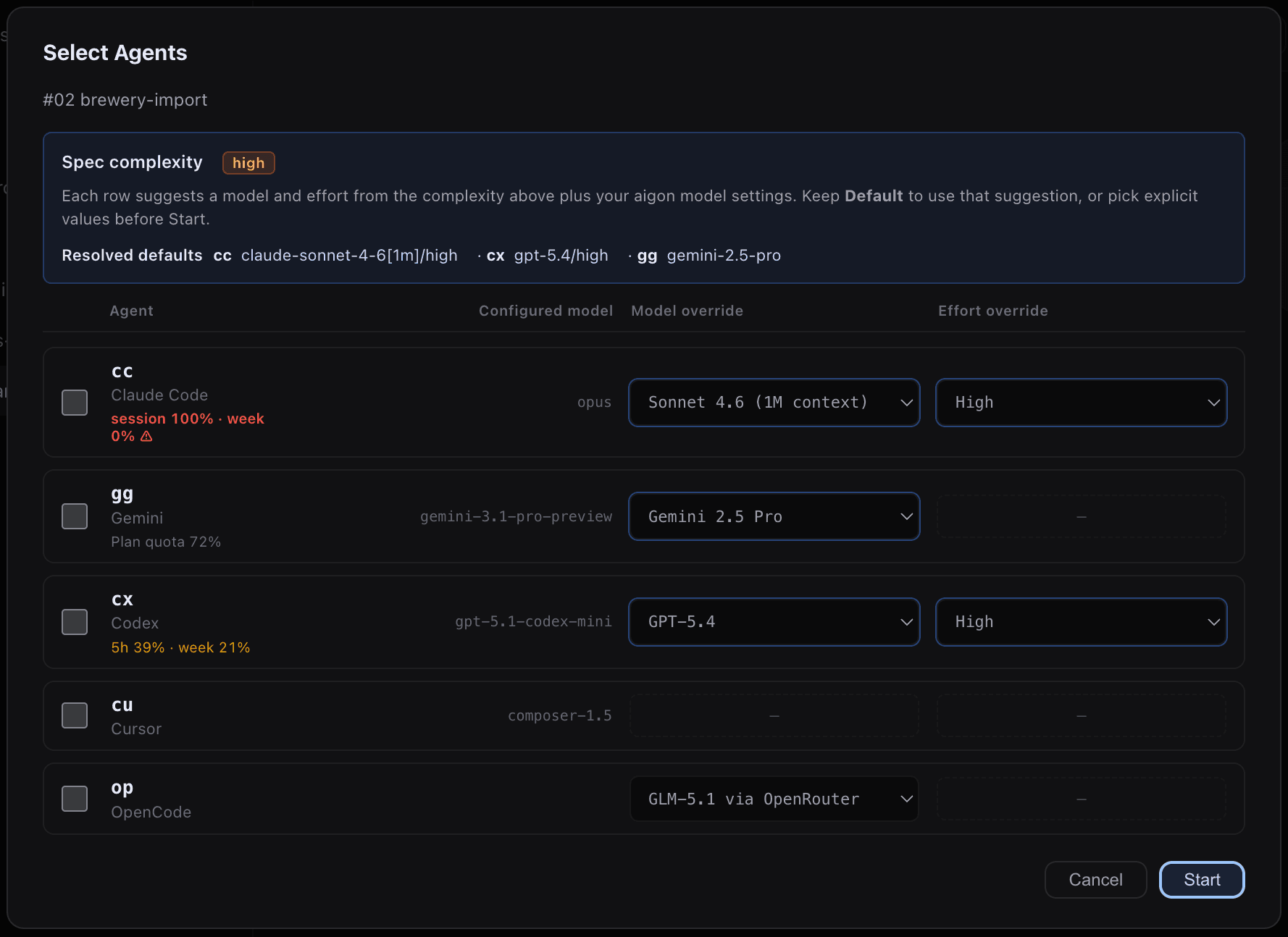
That warning is there to help you make a better choice, not to stop you from shipping. If an agent is low on headroom, you can still use it when the task justifies it, but you get the signal early enough to choose a different implementation agent when that is the smarter call.
How to use it
- Use the quota panel to spot which agents are healthy before you begin a run.
- Prefer a less-constrained agent for straightforward implementation work.
- Reserve tighter quota for review, validation, or smaller follow-up tasks.
- Let the warning in the picker influence the mix of agents you select for a run.
In practice, Aigon’s quota awareness helps you balance speed, specialization, and remaining headroom. That makes agent selection a planning decision instead of a guess.
Where the data lives
Aigon keeps one unified cache at .aigon/state/agent-quota.json in the repo the dashboard server runs from. That file merges:
- Budget windows (subscription-style bars from tmux / app-server scrapes)
- Probe verdicts per agent and model (headless CLI pattern checks)
- Provider wallet balances when configured (e.g. OpenRouter)
The dashboard reads GET /api/agent-quota — a single request for the Agent Quota Usage panel and start-flow warnings. One background poller refreshes all phases on the same schedule (default every 30 minutes). Use ↻ on the panel or aigon agent-quota refresh for a manual pass; aigon agent-quota refresh --force bypasses the five-minute rate limit.
OpenCode / OpenRouter cost note: automatic quota polling does not run paid opencode run probes for the op agent — OpenRouter wallet balance is checked via the free HTTP API instead. Manual aigon agent-probe op --all still bills per model; avoid it unless you are deliberately validating routing. OpenRouter models whose vendor is already covered by a dedicated agent (google → Antigravity, anthropic → Claude Code, openai → Codex) are excluded from the probe list. Health probes also disable OpenCode’s hidden title agent so a PONG check does not side-call Antigravity. Set quota.probeAllModelsOnRefresh: true in ~/.aigon/config.json only if you want dashboard refresh to probe every model for every agent (expensive for OpenRouter).
The unified quota contract is exposed through GET /api/agent-quota. After upgrading, run aigon doctor --fix to migrate older local quota state into agent-quota.json.