Scheduling defers the same kickoff you would trigger from Start Autonomously (or the matching CLI) to an explicit wall time — it is not a partial or “reminder” start. For features, that means a feature_autonomous job still runs your chosen predefined workflow (named workflow definition, agents, stop-after, eval/review options, and so on) and autonomous mode carries that shape through to completion (through the stages your workflow defines), just beginning at runAt instead of immediately.
The server wakes jobs from .aigon/state/scheduled-kickoffs.json on a short poll interval; if no server is running at runAt, the job stays pending until a server comes back online.
You can schedule:
feature_autonomous— atrunAt, runsfeature-autonomous-startwith the same payload you would pass for an immediate autonomous run (including optional workflow slug), so one scheduled row is one end-to-end autonomous run on the clock you pickresearch_start— atrunAt, runsresearch-startat--run-at
Full syntax, flags, and storage semantics are documented on the schedule command reference.
How to schedule a feature
In the dashboard, open Start Autonomously for the feature as usual: choose agents, optional workflow (the predefined autonomous shape you want), eval/review/stop-after options, and then set Run at instead of starting now. That queues a single feature_autonomous job that will invoke the same autonomous pipeline from the beginning of that workflow through completion at the scheduled time. From the CLI, aigon schedule add feature_autonomous … carries the same idea: the arguments mirror an immediate feature-autonomous-start, with an ISO 8601 --run-at that includes a timezone (Z or ±hh:mm).
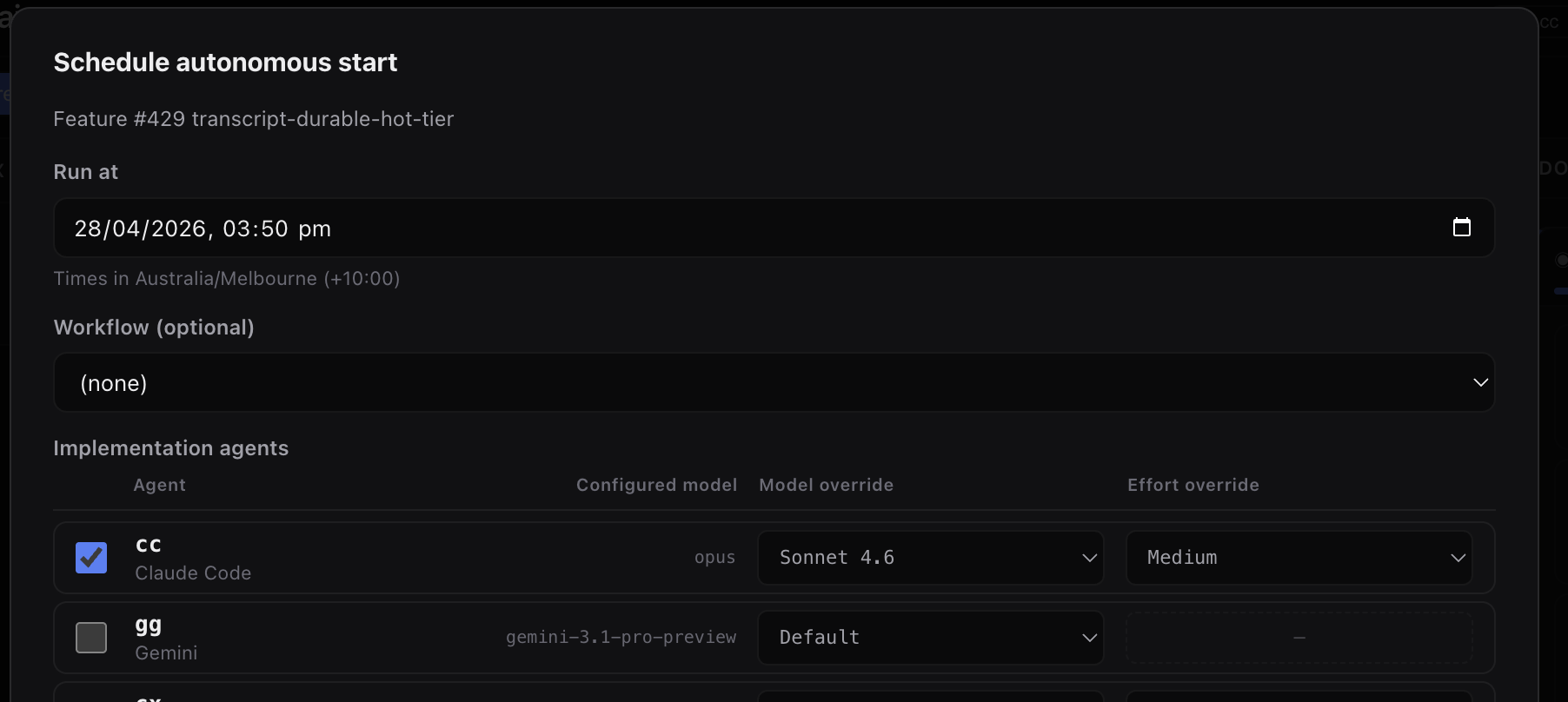
Same modal as an immediate autonomous start — add Run at to defer the whole workflow-bound run to the time you want.
aigon schedule add feature_autonomous 142 \
  --run-at=2026-04-28T09:30:00-07:00 cc \
  --stop-after=eval --eval-agent=ag
You need aigon server start (or equivalent) running so jobs actually fire.
The list of scheduled features
Pending and completed jobs are visible in the UI and via aigon schedule list. Each row reflects what will run autonomously (entity, agents, workflow when set, wall time). Use --all to include completed and cancelled rows when debugging.
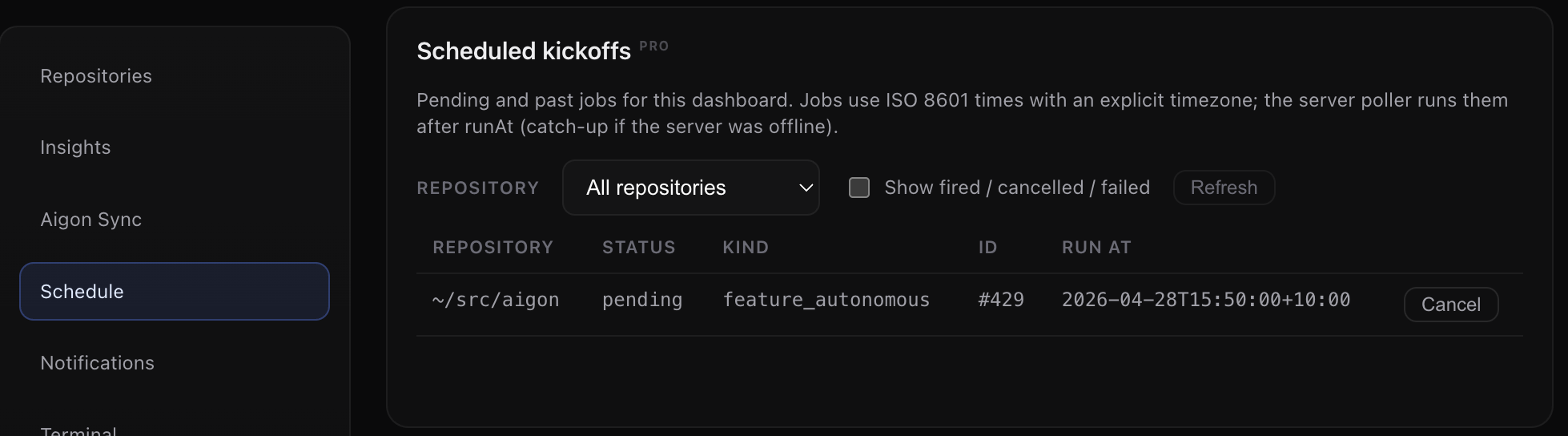
Scheduled Kickoffs shows what is queued — including workflow and run time — so you can confirm the full autonomous run you scheduled.
aigon schedule list
aigon schedule list --all
Related topics
- Recurring features — repeating cadence from templates (
aigon recurring-run/recurring-list). - Autonomous mode — what fires when a
feature_autonomousjob runs.