The Brewboard seed repo is a good place to learn feature sets because it keeps the scope small while still showing the real orchestration flow. Instead of a single feature running on its own, you can tag a short chain of related Brewboard specs as one set and let Aigon execute them in dependency order.
The Brewboard set
In the Brewboard demo, features #02, #03, and #04 share the same set slug:
set: brewboard-data- dependencies flow
02 → 03 → 04
That gives you a compact sequence that shows how set autonomy behaves when later features depend on earlier work landing first.
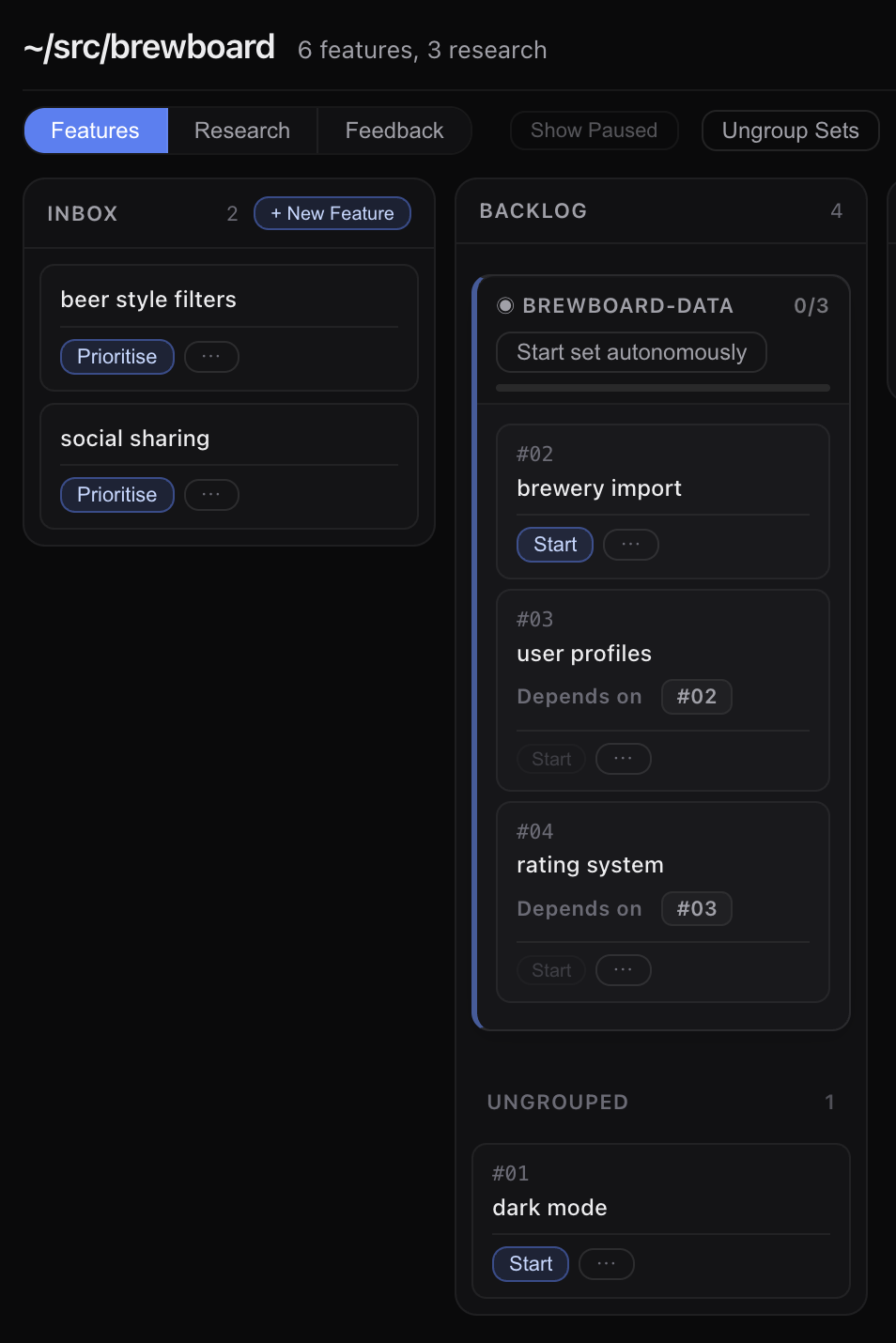
Start from the dashboard
The best way to understand feature-set autonomy is to start it from the dashboard and watch the members complete one at a time.
Open the Brewboard repo in the dashboard, find the brewboard-data set card, and use the autonomous control to launch it.
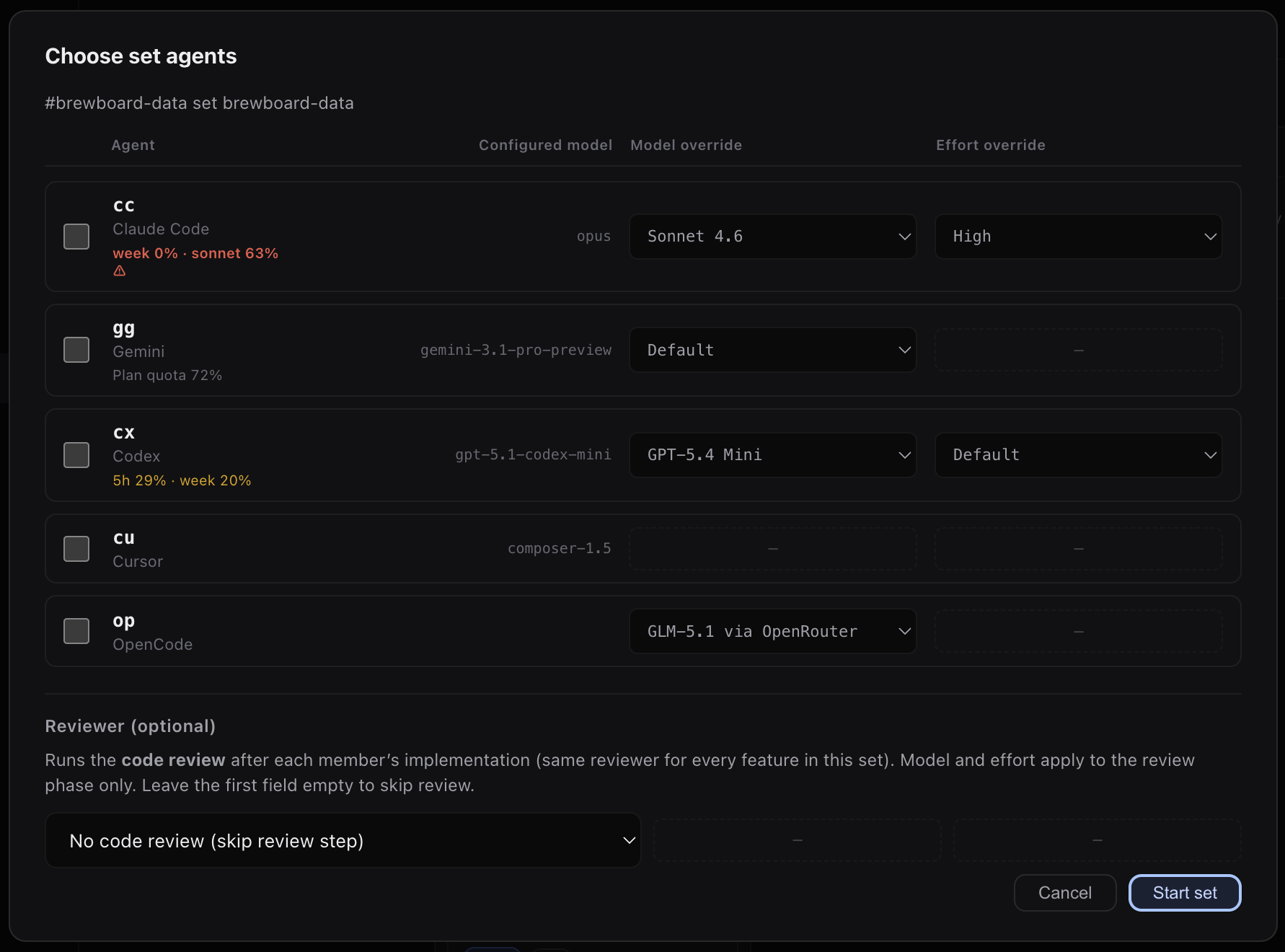
As soon as the set starts, the dashboard should show the first feature in progress.
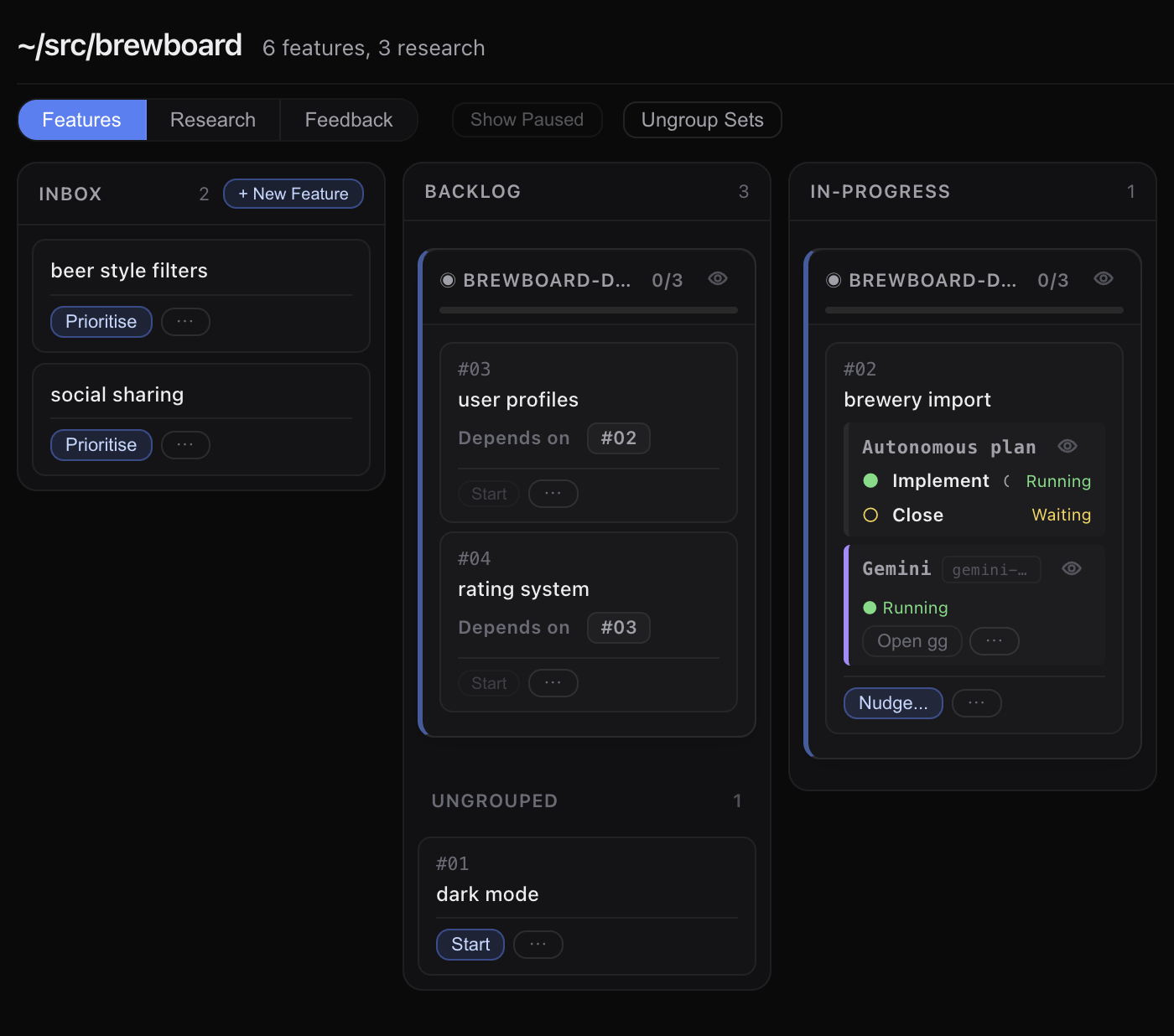
Once the set starts, the dashboard is the thing to watch:
- the current feature advances in dependency order
- each feature completes before the next one starts
- the set card shows overall progress
- pause or resume state appears if a member fails
That is the core behavior to look for: a set is a dashboard-visible queue of related features, not a single giant run.
What the set is doing
In the Brewboard demo, features #02, #03, and #04 share the same set slug:
set: brewboard-data- dependencies flow
02 → 03 → 04
The conductor walks that queue one feature at a time. When #02 closes, the conductor moves to #03; when #03 closes, it moves to #04.
Optional CLI reference
If you want the command shape, it is:
aigon set-autonomous-start brewboard-data cc --review-agent=agBut for the tutorial, the dashboard is the main path. Start there, then watch the set finish member by member.
Why Brewboard is a good teaching repo
Brewboard keeps the tutorial concrete without being noisy:
- the features are small enough to understand at a glance
- the dependency chain is short
- the set card is easy to inspect in the dashboard
- the run is obvious enough to explain without a lot of context