A nudge lets you send a plain-text instruction to an agent that is already running — redirecting it, unblocking it, or correcting course — without killing the session or restarting the feature.
When to nudge
- The agent is stuck in a loop it cannot self-escape (e.g. a failing gate it lacks authority to resolve)
- You want to change the approach mid-flight without losing work already committed
- The agent is about to do something you want to stop before the next commit
From the dashboard
Open the ··· menu on the agent row and choose Nudge. A dialog lets you select the agent, confirm the role, and write your message.
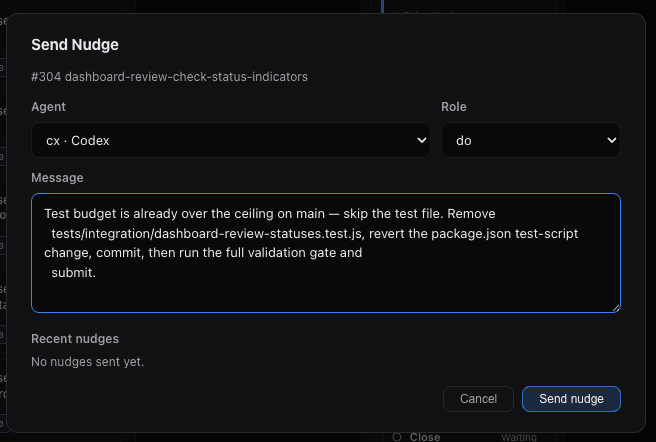
Recent nudges sent to the same agent are shown below the message field for reference.
From the CLI
aigon nudge <feature-id> "<message>"Example:
aigon nudge 304 "Test budget is already over the ceiling — skip the test file, revert the package.json change, commit, then run the validation gate and submit."How it works
The nudge is injected as a message into the agent’s active tmux session. The agent sees it on its next prompt cycle and can act on it immediately. Nothing is restarted; existing uncommitted work is preserved.
Tips
- Be specific. Name files, commands, and the expected outcome. Vague nudges (“just fix it”) produce vague results.
- One instruction at a time. If you have multiple redirects, send them in order rather than as one long message.
- Check the session first. Use the Peek button on the agent card to see what the agent is currently doing before deciding what to say.
Last updated on